Kitson.workshop

Spreadsheets and code that do the math for you.

Budget planners, money trackers and game systems, made from scratch by Kitson. Instant download after checkout, paid securely with PayPal or card.

Start here: pick what fits you

Free videos and samples on every page

I teach, or I homeschool

History of Computers: 20 free videos with printable lessons for ages 11-14. Lesson 1 is free.

Free to $129

I want a new game to play

Kitson Arcade: ten original 8-bit browser games. Play level 1 of each free, no ads, no accounts.

Free demos · $6, or $29 for all 10

I run a small business

Kitson Maxxing Sales: honest AI helpers for customer follow-ups, quotes and proposals, monthly shop reviews and sales copy checks. You check every draft; the apps never contact customers.

Free video reviews · App downloads

I'm learning to trade

Kitson Maxxing Trading: ten educational apps that review your own trades and test strategies honestly. They never place trades.

$49 to $69 · $449 for all 10

I build games in Godot

A tested state machine and save/load kit, and a workbook for finishing your first game.

from $11

I use ChatGPT dots

Ten safe, practical first jobs for a dot, each with a free video and a free step-by-step ebook.

Free

I like engineering history

Ten engineers of the 1950s, from the seat belt to the laser. Free videos and sourced books.

$19 books

I follow AI in science

Ten AI scientists whose recent work helps people, in sourced Maxxing Edition books.

$39 books

I'm starting a YouTube channel

Ten honest tips for new creators, each with a free video and a free book.

Free

I'm budgeting or paying off debt

A budget and debt payoff planner, workbooks, and a free One-Page Budget.

Free to $45

Kitson Pro: guided apps that hand back a finished document

New · $29 each · works with Claude Opus 5.5

All 10 Kitson Pro apps in one download: $249. Bought separately they cost $290. Code SAVE10 takes a further 10% off the package ($224.10).

Get all 10 Kitson Pro apps

Contract Explainer

A plain-language walk-through of a contract or lease before you sign: dates, money, unusual terms and questions to ask.

$29 · Buy

Job Application Tailor

Your resume and cover letter matched to one job posting. Never invents experience you don't have.

$29 · Buy

Business Plan Reviewer

A frank review of your plan or pitch: what is strong, what is missing and what a reader will ask.

$29 · Buy

Complaint Letter Writer

A firm, polite, factual complaint letter, a shorter email version and a follow-up for when nobody replies.

$29 · Buy

Study Guide Maker

Turn a chapter or your notes into a summary, key terms, flashcards and a practice quiz with answers.

$29 · Buy

Spreadsheet Formula Builder

Describe what you want; get the Excel or Google Sheets formula, explained, with test cases to run yourself.

$29 · Buy

Grant Application Helper

A draft answer to each grant or scholarship question from your own notes, plus what is still missing.

$29 · Buy

Small Business Policy Writer

First drafts of plain-language refund, delivery and privacy pages, plus what to settle with a professional.

$29 · Buy

Meeting Action Plan

A transcript or rough notes in; decisions, a task table with who and when, and a follow-up email out.

$29 · Buy

Document Q&A

Ask questions about a long document. Quotes are checked against your text and marked if not found.

$29 · Buy

What you need (please read before buying): each app runs on your own computer with free Node.js 18+ (Windows, Mac or Linux) and your own Anthropic account and key. You pay Anthropic directly for what you use, on top of the price of the app: in our own tests a run cost about 4 to 30 cents. The app shows the cost before each run and after it, and you set a limit for one run. A Claude chat subscription does not include this.

Every finished document comes with "Why I suggested this" and "Check these yourself", and downloads as a Word file. For educational purposes only: not legal, financial, tax, medical or other professional advice, and what the apps write can be wrong. Kitson Workshop is not affiliated with or endorsed by Anthropic. If you can't get one running, email [email protected] within 14 days and I'll help, or refund the price of the app.

App Maxxing: checking tools for engineers and scientists

Early release · $39 each · needs your own OpenAI API key

Early release: please read before buying. Each app needs your own OpenAI API key. It will not run without one, and a ChatGPT subscription does not include one. These apps still need further testing: each has passed our own offline tests and has been run on its built-in sample against the live service (October 2026), but has not yet been tried on a wide range of real files. You may meet faults. After you buy, please tell us what you find: email [email protected] with the subject "Maxxing feedback". Fixes are sent to buyers free.

All 10 App Maxxing apps in one download: $335. Bought separately they cost $390. Code SAVE10 takes a further 10% off the package ($301.50).

Get all 10 App Maxxing apps

Spreadsheet Formula Checker

Look for the odd formula, the typed-over number and the total that misses a row in your own Excel workbook.

$39 · Buy

Data Sheet Comparer

Set two to five data sheets side by side: every value with its sentence and page, units converted in code, and "not like for like" where the conditions differ.

$39 · Buy

Evidence Table Builder

Build one table from papers you may send: one row a paper, each value with its sentence and page, sent in planned batches.

$39 · Buy

Statistics Reporting Checker

Check that the statistics in your own manuscript agree with each other: p-values reported with a t, F, chi-square, r or z statistic are re-computed in code.

$39 · Buy

Long Report Consistency Checker

Look for the places where your own long report does not agree with itself: a value given two ways, a table that does not add up, a reference to a table that is not there.

$39 · Buy

Test Results Against Limits

Compare your measured results with the limits in your own specification. The model reads the limits; the app does every comparison.

$39 · Buy

Reference List Checker

Tie the citations the app can read in your own manuscript to their entries in the reference list, and see the loose ends.

$39 · Buy

Reviewer Response Matrix

Draft a point-by-point response to the reviewers of your own manuscript, with each change it cites looked up in your revised file.

$39 · Buy

Revision Change Register

Compare two revisions of your own document. The app finds the differences in the text itself; the model only describes them.

$39 · Buy

Requirements Trace Matrix

Which of your requirements have a test pointing at them? The app finds the IDs and the references itself; the model only suggests links, and none counts until you tick it.

$39 · Buy

What you need: each app runs on your own computer with free Node.js 18+ (Windows, Mac or Linux) and your own OpenAI account with API access and a key. You pay OpenAI directly for what you use, on top of the price of the app: in our own tests on short sample files a run cost about 3 to 35 cents, and longer files cost more. The app shows the cost before each run and after it, and you set a limit for one run.

For educational purposes only, and for your own research and your own documents. The apps point things out for you to check: they do not certify, approve or sign off anything, what the AI writes can be wrong, and they are not a substitute for review by a qualified person. Kitson Workshop is not affiliated with or endorsed by OpenAI. If we cannot get an app running for you, email [email protected] within 14 days for a refund of the app price.

Packages: buy more, save more

Code SAVE10 = extra 10% off any package

Mega Bundle: 36 products, 20% off. 7 spreadsheets, 8 ebooks, 2 printable packs, a website template, a Godot kit, 7 private AI apps and 10 quick sorting apps in one download. $550 if bought separately; the Mega Bundle price is $440, applied automatically with no code needed.

Get the Mega Bundle

Debt-Free Kit

Budget planner spreadsheet + Debt Payoff Workbook + Sinking Funds Workbook: pay off debt, then stay out of it.

$45 · $40.50 with SAVE10 · Buy

Freelancer Money Kit

Tax tracker spreadsheet, tax set-aside workbook, Expense Sorter and Lead & Form Sorter.

$61 · $54.90 with SAVE10 · Buy

Online Seller Kit

Listing Writer, Reply Desk, Review & Comment Moderator and the Price It Right pricing book.

$58 · $52.20 with SAVE10 · Buy

Customer Inbox Kit

Sort by urgency, draft calm replies, check the tone before you send.

$40 · $36 with SAVE10 · Buy

Student Success Kit

Study Buddy app, Study Smarter workbook and Task Prioritizer. Ages 13+.

$39 · $35.10 with SAVE10 · Buy

Learn to Code Kit

Code Explainer, Read Code You Didn't Write, and Bug Report Triage.

$49 · $44.10 with SAVE10 · Buy

Indie Game Dev Kit

Finish-your-first-Godot-game workbook, Bug Report Triage and Feedback Theme Sorter.

$40 · $36 with SAVE10 · Buy

Job Seeker Kit

Job Match Checker, Email Writer and Email Tone Check.

$38 · $34.20 with SAVE10 · Buy

Family Money Kit

Money Smart Kids, No More Surprise Bills and Expense Sorter.

$35 · $31.50 with SAVE10 · Buy

All 10 Quick Sorting Apps

Every quick app in one download, all using your one Jev key.

$110 · $99 with SAVE10 · Buy

All 10 App Maxxing Apps

Ten checking tools for engineers and scientists in one download. Early release: needs your own OpenAI API key and still needs further testing.

$335 · $301.50 with SAVE10 · Buy

History of Computers: All 20 Lessons

Every printable lesson from the free video series in one download, ages 11-14. Lessons 2 to 20 cost $152 bought one by one.

$129 · $116.10 with SAVE10 · Buy

Ebooks and workbooks

Printable PDFs

The Debt Payoff Workbook

Snowball vs avalanche with real numbers, and a plan you'll keep.

$16 · Buy

No More Surprise Bills

Sinking funds and your emergency fund, step by step.

$13 · Buy

Study Smarter

Active recall and spaced repetition, made simple.

$14 · Buy

Price It Right

Fees, pricing and profit for small online sellers.

$14 · Buy

Money Smart Kids

A 10-week family money plan for ages 7-12.

$14 · Buy

How Much Should I Set Aside?

A freelancer's tax workbook, US edition. General education, not tax advice.

$19 · Buy

Your First Finished Godot Game

Scope, plan and ship a small 2D game.

$19 · Buy

Read Code You Didn't Write

Checking AI-generated code, for beginners.

$19 · Buy

The History of Computers

Free videos, with a printable lesson for each one

All 20 printable lessons in one download: $129. One lesson for each episode, from the abacus to AI on your own desk. About a term of lessons at one a week. Bought one by one, lessons 2 to 20 cost $152.

Get all 20 lessons

Episode 1: Beads, Pebbles and Dust

How the abacus taught us to count. A free 5-minute video with our own drawings.

Free · Watch the video

Lesson 1: Beads, Pebbles and Dust

A 10-page printable lesson that follows the video step by step: pause times, questions, a worksheet and a quiz with answers. Ages 11-14. Lesson 1 is free, so you can try it with your class.

Free · Get the lesson

Episode 2: The Shipwreck "Computer"

Bronze gears from a Greek shipwreck, and the first machines that could do sums. A free 6-minute video.

Free · Watch the video

Lesson 2: The Shipwreck "Computer"

A 12-page printable lesson that follows the video: pause times, questions, two worksheets with a cut-out timeline, and a quiz with answers. Ages 11-14. Pay once, reuse with your own class.

$8 · Buy
Episode 3: The Computer That Was Never Built

A loom that reads punched cards, Babbage's engines, and Ada Lovelace's notes. A free 7-minute video.

Free · Watch the video

Lesson 3: The Computer That Was Never Built

A 12-page printable lesson that follows the video: pause times, questions, a "be the engine" game with counters, a cut-out timeline, and a quiz with answers. Ages 11-14. Pay once, reuse with your own class.

$8 · Buy
Episode 4: Holes in Cards

A census that took years to add up, and the machine that read holes in cards with electricity. A free 7-minute video.

Free · Watch the video

Lesson 4: Holes in Cards

A 12-page printable lesson that follows the video: pause times, questions, a "be the tabulator" card-counting game, a cut-out timeline, and a quiz with answers. Ages 11-14. Pay once, reuse with your own class.

$8 · Buy

Episode 5: Turing and the Codebreakers

An imaginary machine from 1936, the Enigma puzzle, and the machines built to help solve it. A free 7-minute video.

Free · Watch the video

Lesson 5: Turing and the Codebreakers

A 12-page printable lesson that follows the video: pause times, questions, a paper tape machine, a turning-wheel cipher, a cut-out timeline, and a quiz with answers. Ages 11-14. Pay once, reuse with your own class.

$8 · Buy

Episode 6: ENIAC, Baby and UNIVAC

A computer the size of a room, the women who programmed it, and the big argument: which computer was first? A free 7-minute video.

Free · Watch the video

Lesson 6: ENIAC, Baby and UNIVAC

A 13-page printable lesson that follows the video: pause times, questions, a "Paper Baby" stored-program game, a cut-out timeline, and a quiz with answers. Ages 11-14. Pay once, reuse with your own class.

$8 · Buy

Episode 7: The Transistor and the Chip

A slab of germanium, a prize for three, and a prediction that the parts on a chip would keep doubling. A free 7-minute video.

Free · Watch the video

Lesson 7: The Transistor and the Chip

A 13-page printable lesson that follows the video: pause times, questions, logic gates played with counters, doubling sums, a cut-out timeline, and a quiz with answers. Ages 11-14. Pay once, reuse with your own class.

$8 · Buy

Episode 8: Big Iron

Computers rented by the month, languages that looked like maths and English, and a five billion dollar gamble on one family of machines. A free 7-minute video.

Free · Watch the video

Lesson 8: Big Iron

A 13-page printable lesson that follows the video: pause times, questions, a "be the compiler" game, numbers built from four boxes, a cut-out timeline, and a quiz with answers. Ages 11-14. Pay once, reuse with your own class.

$8 · Buy

Episode 9: Minicomputers and UNIX

A computer with a screen for one operator, a space battle game, an $18,000 machine for one lab, and a system rewritten in C and then moved. A free 7-minute video.

Free · Watch the video

Lesson 9: Minicomputers and UNIX

A 13-page printable lesson that follows the video: pause times, questions, a "chalk disk" file list, a "Move it" game on two pretend machines, a cut-out timeline, and a quiz with answers. Ages 11-14. Pay once, reuse with your own class.

$8 · Buy

Episode 10: A CPU on a Chip

An order for calculator chips, four engineers, the Intel 4004, and a processor sold for twenty-five dollars. A free 7-minute video.

Free · Watch the video

Lesson 10: A CPU on a Chip

A 13-page printable lesson that follows the video: pause times, questions, a "program the chip" game with counters, numbers shown with four bits, a cut-out timeline, and a quiz with answers. Ages 11-14. Pay once, reuse with your own class.

$8 · Buy

Episode 11: Computers Come Home

A computer sold as a kit, a club of hobbyists, three ready-built machines in 1977, the first spreadsheet program, and the home computers of the early 1980s. A free 7-minute video.

Free · Watch the video

Lesson 11: Computers Come Home

A 13-page printable lesson that follows the video: pause times, questions, a 256-box memory grid, a paper spreadsheet with "what if?" questions, a cut-out timeline, and a quiz with answers. Ages 11-14. Pay once, reuse with your own class.

$8 · Buy

Episode 12: The IBM PC and the Clones

A personal computer built in a year from off-the-shelf parts, an open design, and the compatible machines that made it a standard. A free 8-minute video.

Free · Watch the video

Lesson 12: The IBM PC and the Clones

A 13-page printable lesson that follows the video: pause times, questions, "make or buy" sums, a "clean room" rule-finding game, a ten-counter market share model, a cut-out timeline, and a quiz with answers. Ages 11-14. Pay once, reuse with your own class.

$8 · Buy

Episode 13: Windows, Icons and the Mouse

An imaginary desk that linked documents, the mouse and a famous demonstration in 1968, a research computer that was never sold, and the Lisa, the Macintosh and Windows. A free 7-minute video.

Free · Watch the video

Lesson 13: Windows, Icons and the Mouse

A 13-page printable lesson that follows the video: pause times, questions, a "roll the mouse" grid game, pictures made from squares, a "three windows" puzzle, a cut-out timeline, and a quiz with answers. Ages 11-14. Pay once, reuse with your own class.

$8 · Buy

Episode 14: From ARPANET to the Web

The first computers joined in a network, messages cut into packets, the at sign, networks joined into an internet, and the Web that began at CERN. A free 7-minute video.

Free · Watch the video

Lesson 14: From ARPANET to the Web

A 13-page printable lesson that follows the video: pause times, questions, a packets game with paper strips, a gateways model, a paper web of linked pages, a cut-out timeline, and a quiz with answers. No computer needed. Ages 11-14. Pay once, reuse with your own class.

$8 · Buy

Episode 15: Computers in Your Pocket

A 24-pound computer you could carry, a low-power chip from Britain, a black laptop with a red pointer, a wooden model in a pocket, and a phone, music player and internet device in one. A free 7-minute video.

Free · Watch the video

Lesson 15: Computers in Your Pocket

A 13-page printable lesson that follows the video: pause times, questions, halving and weighing sums, a "count the steps" design game, a hundred-square model, a cut-out timeline, and a quiz with answers. Ages 11-14. Pay once, reuse with your own class.

$8 · Buy

Episode 16: The GPU

Game graphics in the 1990s, a chip its maker called a graphics processing unit, many sums at once, science on graphics chips, and a thousandfold speed-up in ten years. A free 7-minute video.

Free · Watch the video

Lesson 16: The GPU

A 13-page printable lesson that follows the video: pause times, questions, pixels coloured by rule, "hand over the sums" and "share them out" games, a cut-out timeline, and a quiz with answers. Ages 11-14. Pay once, reuse with your own class.

$8 · Buy

Episode 17: The Cloud

Sharing one big computer by turns in the 1960s, a rack of 80 PCs, renting storage and computing by the hour, and the buildings full of computers behind it all. A free 8-minute video.

Free · Watch the video

Lesson 17: The Cloud

A 13-page printable lesson that follows the video: pause times, questions, a "take turns" sharing game, racks, hours and gigabytes sums, a cut-out timeline, and a quiz with answers. Ages 11-14. Pay once, reuse with your own class.

$8 · Buy

Episode 18: Machines That Learn

A machine from 1958 that learned to sort cards, the lean years, a library of labelled pictures, a network trained on two graphics cards, and the awards that followed. A free 8-minute video.

Free · Watch the video

Lesson 18: Machines That Learn

A 13-page printable lesson that follows the video: pause times, questions, a paper "sorter" that learns from its mistakes (our own model), counting games, a cut-out timeline, and a quiz with answers. No computer needed. Ages 11-14. Pay once, reuse with your own class.

$8 · Buy

Episode 19: Large Language Models

A 1966 program with canned replies, the 2017 paper behind the Transformer, models that predict the next piece of text, and the chat assistants that followed. A free 7-minute video.

Free · Watch the video

Lesson 19: Large Language Models

A 13-page printable lesson that follows the video: pause times, questions, a paper next-word model built from a tally table (our own model), why a fluent sentence can still be untrue, a cut-out timeline, and a quiz with answers. No computer or AI tool needed. Ages 11-14. Pay once, reuse with your own class.

$8 · Buy

Episode 20: AI on Your Own Desk

The series finale: small desktop computers with 128 GB of shared memory, why the largest models still run in data centres, and a look back from the abacus. A free 7-minute video.

Free · Watch the video

Lesson 20: AI on Your Own Desk

A 13-page printable lesson that follows the video: pause times, questions, "will it fit?" memory sums, a timeline card sort across the whole series, a cut-out timeline, and a quiz with answers. Ages 11-14. Pay once, reuse with your own class.

$8 · Buy

Kitson Explains: ChatGPT dots

10 free videos, each with a free ebook

The 10 best, safest ways to use OpenAI's new ChatGPT dots, picked by an expert panel. Every video is free, and every ebook is a free download: a plain, readable book with step-by-step setup and instructions you can copy. Dots need a paid ChatGPT Pro or Business Premium plan and are for ages 18+. Independent: not affiliated with or endorsed by OpenAI. For educational purposes only.

Start with episode 1

1. Your morning briefing

A short read-only summary of your calendar and email, every weekday morning.

Free · Get the ebook · Watch

2. Your weekly inbox tidy-up

Sorts your inbox and drafts replies. Never sends or deletes without you.

Free · Get the ebook · Watch

3. The forgotten-invoice catcher

Spots finished jobs you haven't billed for and drafts the invoices for your approval.

Free · Get the ebook · Watch

4. Renewals, free trials and bills radar

One list from your email, with warnings in good time. Never cancels or pays.

Free · Get the ebook · Watch

5. Study planner and deadline keeper (18+)

Turns course outlines into a deadline list and weekly plan. Plans and quizzes, never writes your work.

Free · Get the ebook · Watch

6. Customer-enquiry first responder

Sorts customer enquiries and drafts replies, asking before every message goes out.

Free · Get the ebook · Watch

7. Family logistics keeper

School and club emails turned into one family list. Payments and consent forms stay with you.

Free · Get the ebook · Watch

8. Job-search tracker

Tracks matching roles, drafts cover letters and reminds you to follow up. You send every application.

Free · Get the ebook · Watch

9. Compare before you buy

Researches options, keeps a shortlist and re-checks prices. You decide and you buy.

Free · Get the ebook · Watch

10. From recording to show notes

Draft show notes, clip ideas and posts from each transcript. You edit and publish.

Free · Get the ebook · Watch

Kitson Teaches Pro: engineers of the 1950s

10 free videos, each with a full book ($19)

Ten engineering breakthroughs from 1950 to 1960 that moved people forward: safer cars, medical scanning, implanted pacemakers, solar power, clean water, open-heart surgery, fibre optics, aerospace research, the laser and the hovercraft. Every video is free. Each book tells the full story in a regular, readable book for engineers, professionals and curious adults, with sources for every fact. Our own drawings, not photographs or likenesses. For educational purposes only.

Start with episode 1

1. Nils Bohlin: the three-point seat belt

The belt you buckle with one hand, and why its geometry works.

$19 · Get the book · Watch

2. Tom Brown: medical ultrasound

How an industrial flaw detector learned to see inside the body.

$19 · Get the book · Watch

3. Elmqvist and Greatbatch: the implantable pacemaker

Moving the pacemaker from a wall socket into the body.

$19 · Get the book · Watch

4. Chapin, Fuller and Pearson: the silicon solar cell

The day sunlight turned a toy Ferris wheel.

$19 · Get the book · Watch

5. Loeb and Sourirajan: reverse osmosis

The film that turns seawater into drinking water.

$19 · Get the book · Watch

6. The Gibbons and IBM: the heart-lung machine

The machine that took over a heart and lungs during surgery.

$19 · Get the book · Watch

7. Kapany and Hopkins: fibre optics

Glass threads that carry light round corners.

$19 · Get the book · Watch

8. Mary W. Jackson: aerospace engineering

Measuring where fast air turns rough.

$19 · Get the book · Watch

9. Theodore Maiman: the laser

The pink ruby that made laser light work, and its civilian uses.

$19 · Get the book · Watch

10. Christopher Cockerell: the hovercraft

Two coffee tins and a craft that flies on air.

$19 · Get the book · Watch

Kitson Teaches: YouTube Start

"I became a movie star overnight": 10 free videos, 10 free books

Ten honest tips for new YouTube creators, one for each thing beginners struggle with most, picked by an expert panel from YouTube's own help pages and creator surveys. Every video is free and every book is a free download, with things you can try this week. The title is a joke: nobody can promise you views or money, and we don't. Not affiliated with or endorsed by YouTube. For educational purposes only.

Start with episode 1

1. Nobody is watching

Why four views is normal, and five free fixes for your first views.

Free · Get the book · Watch

2. Picking a topic

Pick a viewer first, then find the gaps they're searching for.

Free · Get the book · Watch

3. Honest thumbnails and titles

Earn the click with a clear picture and a promise you keep.

Free · Get the book · Watch

4. The first 30 seconds

Openings that tell the right viewer they're in the right place.

Free · Get the book · Watch

5. Gear and budget myths

Start with the phone you have. Free sound and light fixes.

Free · Get the book · Watch

6. Reading your stats

Three numbers that help, and when to stop checking.

Free · Get the book · Watch

7. Shorts or long videos?

How each one works, and a simple four-week test.

Free · Get the book · Watch

8. Copyright, music, AI and kids

Claims versus strikes, safe music and the settings on every upload.

Free · Get the book · Watch

9. Burnout and mean comments

A pace you can keep, comment filters and planned time off.

Free · Get the book · Watch

10. Money reality and scams

The real Partner Program levels, and how to spot fake sponsors.

Free · Get the book · Watch

New: templates, printables and kits

Instant downloads

Seller Profit Tracker

Your real profit after fees, by platform and by month. Excel.

$16 · Buy

Pricing Calculator

Product price, hourly rate and what a discount really costs. Excel.

$13 · Buy

Invoice & Quote Maker

Clean one-page invoices and quotes, with a log of what is paid and overdue. Excel.

$13 · Buy

Job Search Tracker

Every application in one place, with follow-up flags and interview prep. Excel.

$13 · Buy

Meal Planner & Grocery List

Pick the week's meals and the grocery list fills itself in. Excel.

$13 · Buy

The Focus Planner

Calm, low-clutter daily and weekly pages to print. PDF.

$11 · Buy

Chore & Allowance Charts

Printable charts for kids 4 to 12: chores, Save-Spend-Give and a savings goal. PDF.

$9 · Buy

One-Page Website Template

A small-business site with price cards and PayPal pay buttons. HTML and CSS, with a setup guide.

$25 · Buy

Godot 4 State Machine + Save/Load Kit

Tested GDScript with a playable demo and 35 automated tests.

$11 · Buy

Shop

Instant downloads

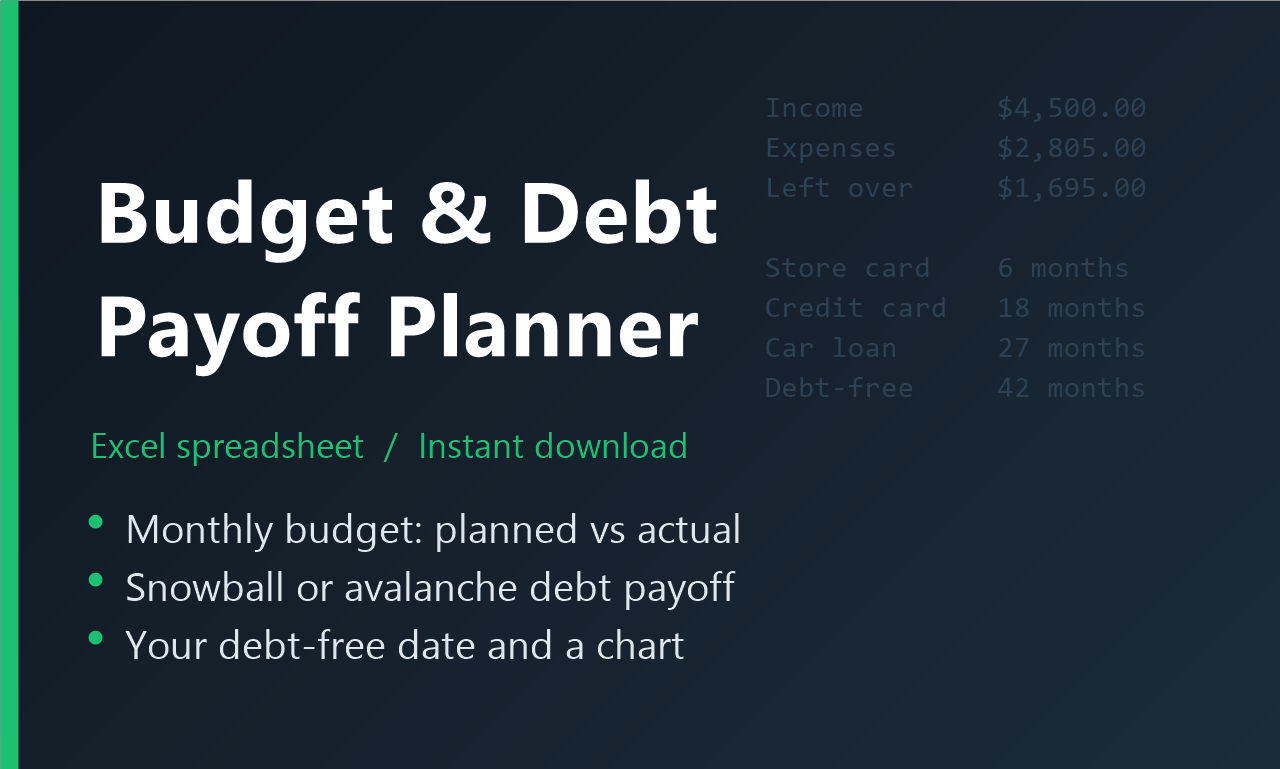
Budget and Debt Payoff Planner: monthly budget, snowball or avalanche payoff, debt-free date and chart
Excel (.xlsx) Excel 2016 or newer

Budget & Debt Payoff Planner

  • Monthly budget with planned vs actual, category totals and savings rate
  • Up to 10 debts, snowball or avalanche, with extra payments
  • Paid-off payments roll into the next debt automatically
  • Your debt-free date, interest per debt and a payoff chart

Secure checkout by Payhip or Ko-fi. Pay with PayPal. For personal budgeting and education only; not financial advice.

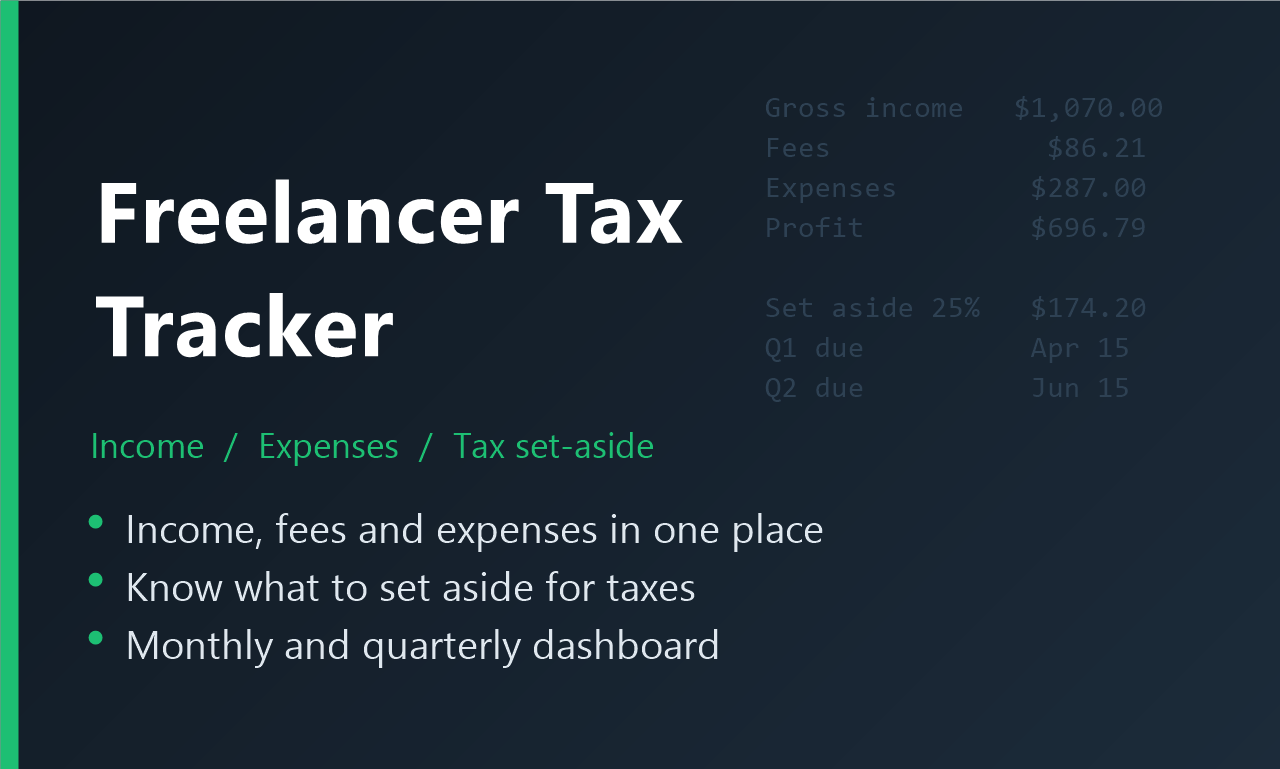
Freelancer Tax Tracker: income, expenses and tax set-aside with a monthly and quarterly dashboard
Excel (.xlsx) Excel 2016 or newer

Freelancer Income, Expense & Tax Tracker

  • Log every payment with platform fees; net and tax set-aside calculated for you
  • Expense log with categories, Deductible and Receipt saved columns
  • Dashboard with monthly profit, a chart and income by platform
  • Quarterly estimated-tax table with due dates and what's still to pay

Secure checkout by Payhip or Ko-fi. Pay with PayPal. Helps you organize your numbers; not tax advice.

Want a template we don't make yet? Tell me what you'd use. The most-requested ideas get built next, and whoever asked gets first dibs at a launch discount.

Request a template · or email [email protected]

Private AI apps

Early release

Code Explainer

Paste an error and your code; get a plain-English explanation and a fixed version.

$21 · Payhip · Ko-fi

Reply Desk

Calm, professional replies to customer emails and reviews. You stay in control of refunds and discounts.

$19 · Payhip · Ko-fi

Study Buddy

Flashcards and quizzes from your own notes, and hard topics explained simply. Ages 13+.

$16 · Payhip · Ko-fi

Meeting Notes

Messy notes in; a summary, decisions, action items and a follow-up email out.

$19 · Payhip · Ko-fi

Listing Writer

Titles, descriptions and exactly 13 tags for Etsy, eBay, Payhip and more. Never writes fake reviews.

$19 · Payhip · Ko-fi

Email Writer

A few notes in; a clear, polite email with a subject line out. Leaves [placeholders] instead of guessing.

$16 · Payhip · Ko-fi

Game Master

Solo text adventures and quick session prep for tabletop games. Always teen-friendly. Ages 13+.

$16 · Payhip · Ko-fi

How they run: each app runs in your browser from your own computer. Use free Ollama for Private mode (8 GB+ RAM), or your own AI provider key for Cloud mode. Needs free Node.js 18+ on Windows, Mac or Linux. No AI model is included.

What should we build next? Tell me what you'd like an AI helper for, at work, school or home. The most-requested ideas get built next, and whoever asked gets first access. Suggest an agent

These are early, educational releases: we're learning and improving them with every update, and AI answers can be wrong. If you can't get one running, email [email protected] within 14 days and I'll help, or refund you.

Quick sorting apps

$13 each · your own Jev key

Paste a pile of messages, reviews, tasks or transactions and get them sorted in seconds. These small apps run on your computer and use Jev, a fast decision model from TypeSafe AI, with your own API key (about a thousandth of a cent per check at launch prices). Your text goes to TypeSafe, after email addresses, phone numbers and card-like numbers are removed; they're not offline apps.

Inbox Triage

Sort customer emails by type and urgency; see who needs a reply.

Payhip · Ko-fi

Lead & Form Sorter

Separate real leads from spam in your contact-form messages.

Payhip · Ko-fi

Review & Comment Moderator

Flag spam, abuse and questions that need a reply.

Payhip · Ko-fi

Scam Warning Signs

Spot common red flags in a suspicious text or email. Never says a message is safe.

Payhip · Ko-fi

Job Match Checker

See which job requirements your resume already shows.

Payhip · Ko-fi

Expense Sorter

Categorize transactions; totals are added by the app, not AI.

Payhip · Ko-fi

Task Prioritizer

Sort a to-do list into do now, schedule, delegate and drop.

Payhip · Ko-fi

Email Tone Check

See how your message will come across before you send it.

Payhip · Ko-fi

Bug Report Triage

Sort bug reports by severity and area, most severe first.

Payhip · Ko-fi

Feedback Theme Sorter

Group survey answers into your own themes, with sentiment.

Payhip · Ko-fi

Free tools and guides

No sign-up

One-Page Budget (free PDF)

Print it, fill it in, and give every dollar a job. Found it useful? Leave a tip on Ko-fi. Thank you!

Seller fee calculator

See what you keep after PayPal, Payhip, Ko-fi, Fiverr or Etsy fees, or find the price that nets your target.

Debt snowball vs avalanche

The same four debts paid both ways, month by month, with the real interest difference.

How much should freelancers set aside for taxes?

A plain-English guide to self-employment tax, quarterly payments and a simple set-aside habit.

Hire me

Small jobs, clear prices

Bug fixes and small scripts

Python, JavaScript, PowerShell or GDScript. Working, commented code with an explanation of the fix.

from $35

Godot 4 gameplay systems

Movement, cameras, inventory, loot, save/load and UI, delivered with a demo scene.

from $75

Landing pages and small sites

Fast, mobile-friendly sites you can host for free, with contact forms and PayPal buttons.

from $100

Spreadsheet cleanup and automation

Clean, merge and format Excel or CSV data, or automate a task you repeat every week.

from $35

How it works: tell me what you need, I reply with a fixed price and delivery date, and you pay a PayPal invoice before work starts.

Prefer to order online? Book a service on Ko-fi.

Email: [email protected]